
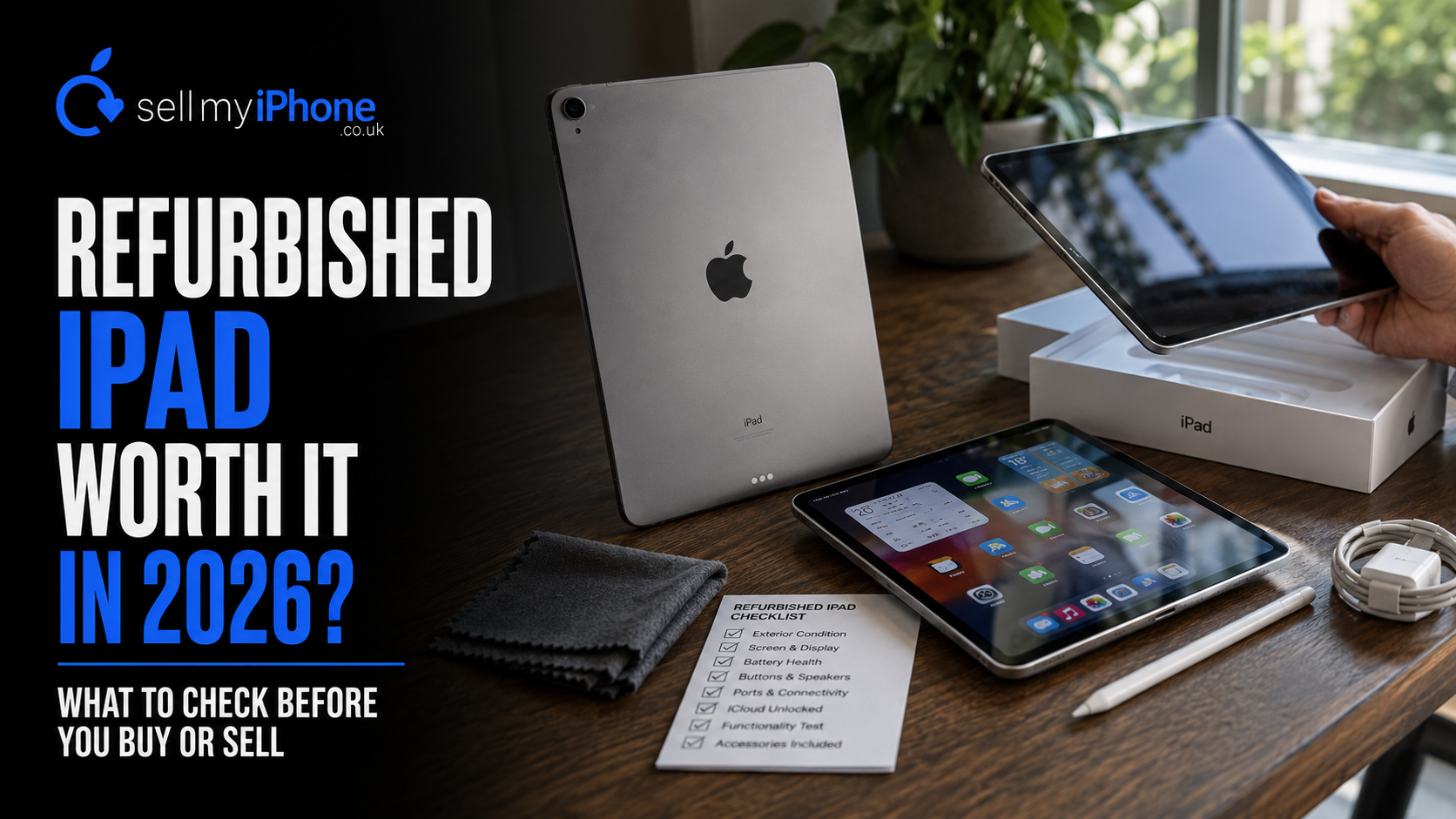
Is a Refurbished iPad Worth It in 2026? What to Check Before You Buy or Sell
Yes, a refurbished iPad can be an excellent buy in 2026. The best models still have years of useful software life, strong performance and enough battery life for everyday tasks, while costing less than a brand-new equivalent. However, buyers need to check more than the generation name. iPadOS support, battery condition, Activation Lock, storage, screen quality and whether the tablet is Wi-Fi or Cellular can all change whether a refurbished iPad is genuinely good value.
The same factors matter when you are selling one.
An old iPad that feels redundant after a laptop or tablet upgrade may still have substantial useful life for another owner. Sell My iPhone's current catalogue includes iPads and other tablets alongside phones and smartwatches, so it is worth checking the device before assuming an older tablet has little value.
If you already have an unused tablet, you can search for your iPad or tablet and check its current value.
Quick answer: For a refurbished iPad in 2026, prioritise a model that still supports current software, has enough storage for your needs, is free from Activation Lock and has a battery and display in sensible condition. If you are selling an old iPad, identify the exact model first, remove your Apple Account correctly and check its value before leaving it in a drawer.
Why refurbished iPads are particularly interesting in 2026
The iPad market now stretches across a huge range of generations.
Some used iPads remain powerful enough for demanding work. Others make inexpensive tablets for streaming, browsing, reading, video calls or children's apps.
However, software support is starting to create a clearer divide between older and newer models.
iPadOS 27 changes the buying calculation
Apple has published its official iPadOS 27 compatibility list.
The new operating system supports:
- iPad Pro with M4 and later;
- iPad Pro 12.9-inch from the 4th generation;
- iPad Pro 11-inch from the 2nd generation;
- iPad Air 13-inch with M2 and later;
- iPad Air 11-inch with M2, M3 and M4;
- iPad Air 11-inch from the 4th generation;
- iPad with A16;
- standard iPad from the 9th generation;
- iPad mini with A17 Pro;
- iPad mini 6th generation.
That means several older iPads that still work perfectly well no longer sit on the newest compatibility list.
For refurbished buyers, this matters.
A tablet that seems £50 cheaper may not necessarily represent better long-term value if it is already outside current major iPadOS support.
Does an iPad need iPadOS 27 to be worth buying?
Not necessarily.
An older iPad does not suddenly stop working when it misses the latest major software release.
However, the age of its software matters more the longer you intend to keep it.
Think about how long you want the tablet
Suppose you want a cheap iPad mainly for:
- Netflix;
- YouTube;
- browsing;
- recipes;
- reading;
- basic children's games.
You may be perfectly happy with an older model.
By contrast, somebody buying a refurbished tablet for university, work or several more years of everyday use should place more weight on current software compatibility.
In practice, a slightly newer model can sometimes be the better bargain even when the purchase price is higher.
App support matters too
Applications do not all stop working on the same day that Apple drops a model from the latest iPadOS.
However, over time, app developers can raise their minimum software requirements.
Therefore, current OS support gives a refurbished device a stronger chance of remaining useful for longer.
Which older iPads still support iPadOS 27?
For many second-hand buyers, this is the most useful shortlist.
Standard iPad
Apple currently supports the 9th generation and later with iPadOS 27.
That makes the 9th-generation iPad particularly interesting in the refurbished market.
It is old enough to have fallen substantially below the price of current hardware while still remaining inside Apple's newest software-support group.
Sell My iPhone's current site also lists the 2021 iPad among the devices it buys, which shows that these older tablets can still retain commercial value.
iPad mini
The 6th-generation iPad mini remains supported.
So does the newer A17 Pro model.
The mini can be particularly appealing refurbished because there are relatively few premium small tablets on the market.
People who mainly want an iPad for reading, travel or portability may prefer it to a larger model.
iPad Air
iPadOS 27 supports iPad Air from the 4th generation onwards, plus the newer M-series models.
That leaves several attractive refurbished choices.
An M1 or M2-era Air can be significantly more powerful than a typical user's everyday workload requires.
Therefore, buying the previous generation rather than the newest version can make a great deal of sense.
iPad Pro
Apple's compatibility list remains relatively generous for the Pro.
The 12.9-inch model qualifies from the 4th generation onwards, while the 11-inch qualifies from the 2nd generation.
Those devices can still offer strong displays and substantial performance.
However, buying an older Pro purely because the word "Pro" sounds premium is not always wise.
Battery age and physical condition can matter more than processor performance after several years of use.
Which refurbished iPad should you avoid?
There is no single generation that everyone should avoid.
Price changes the answer.
A very old iPad at £50 serves a different market from a refurbished iPad Pro costing several hundred pounds.
However, certain warning signs deserve caution.
Very old software support
If a device already sits several major releases behind Apple's current software, understand that before buying.
It may still work perfectly for basic tasks.
Nevertheless, do not pay a premium price for it as though it has the same expected software life as a newer model.
Unknown Activation Lock status
This is much more serious.
Apple's Activation Lock links an iPad to the owner's Apple Account when Find My is enabled.
Apple explicitly advises buyers not to take ownership of a used iPad if Activation Lock remains enabled. If setup asks for the previous owner's account information, the seller still needs to remove the device from their account.
A beautiful iPad with somebody else's Activation Lock is not a bargain.
Battery problems
A tablet can look almost new while having a heavily aged battery.
Poor battery life becomes particularly frustrating on an iPad because people often expect tablets to last for long periods away from a charger.
Therefore, battery condition deserves real attention.
How important is iPad battery health?
Very.
Apple designs iPad batteries to retain up to 80% of their original capacity after 1,000 complete charge cycles, although actual ageing depends on how the device has been used and charged.
That gives refurbished buyers useful context.
A three- or four-year-old iPad does not need to have a perfect battery.
However, there is a meaningful difference between normal ageing and a tablet that lasts only a fraction of the time you expect.
Newer iPads make battery checking easier
Apple now provides a Battery Health screen on selected newer iPads.
As of 2026, supported models include:
- iPad Pro M4 and M5;
- iPad Air M2, M3 and M4;
- iPad mini A17 Pro;
- iPad A16.
On these models, Settings can show battery health, maximum capacity, cycle count, manufacturing date and first-use date.
That is particularly useful when buying second-hand.
Older iPads may not show the same information
Do not assume every refurbished iPad provides an iPhone-style Maximum Capacity figure.
Older models do not offer the same Battery Health interface.
In that case, your practical checks become more important:
- Does the battery drain unusually quickly?
- Does the percentage drop suddenly?
- Does the tablet become excessively hot?
- Does charging behave normally?
- Does the seller provide any battery guarantee?
A reputable refurbisher should have a process for assessing battery condition even where the consumer-facing Settings screen provides less information.
Is 80% battery health bad on an iPad?
It indicates meaningful wear, but context matters.
Apple itself uses 80% capacity as an important service threshold in its battery-support programmes.
A refurbished tablet near that level may still work, but you should factor the battery into the price.
For example, imagine two otherwise identical iPad Air models.
One has very light cosmetic wear and strong battery performance.
The second looks pristine but needs charging much more frequently.
The visually perfect one may actually be the worse purchase.
Check the screen carefully before buying a refurbished iPad
The display is one of the most important and expensive parts of a tablet.
It also occupies almost the entire front of the device.
Do not inspect only for cracks
Look for:
- deep scratches;
- dead pixels;
- bright spots;
- uneven backlighting;
- colour abnormalities;
- touch-response problems;
- pressure marks;
- cracks near the edge;
- damaged anti-reflective coating.
Turn the screen on.
Open something with a light background and then something dark.
Finally, test touch input across the whole panel.
Test the corners
Touch problems can hide in areas people do not use often.
Drag an icon or draw across the full display if possible.
If part of the touchscreen does not respond consistently, the apparent bargain may become an expensive repair.
Check the USB-C or Lightning port
Depending on its generation, an iPad may use USB-C or Lightning.
Whichever connector is present, test it.
A loose or intermittent charging port can turn an otherwise good tablet into an irritating device.
Look beyond charging
USB-C iPads may also use the port for:
- accessories;
- external storage;
- displays;
- hubs;
- keyboards.
Therefore, a port that merely manages to charge is not necessarily functioning perfectly.
For a refurbished iPad Pro or Air intended for productivity, connectivity can matter significantly.
Check whether it is Wi-Fi or Cellular
This is another easy mistake.
Two iPads of the same generation and storage size may differ because one includes mobile connectivity.
Cellular can add value
A Cellular iPad can connect to supported mobile networks independently of Wi-Fi.
For somebody travelling, working remotely or using an iPad in a vehicle, that can be useful.
Other buyers may never use it.
Therefore, do not automatically pay extra for Cellular simply because it sounds better.
Sellers should identify the exact version too
The same issue affects resale.
A Wi-Fi iPad and the Wi-Fi + Cellular version are different products.
If you are unsure which one you have, Apple's model-identification database lists model numbers, storage options and connectivity variants across generations.
You can use Apple's official iPad identification guide before requesting a valuation.
Storage can make or break a refurbished iPad purchase
An older device can have plenty of processing power but too little storage for your needs.
That becomes frustrating very quickly.
64GB may be enough for light use
For streaming, browsing and cloud-based work, lower storage can still be practical.
However, storage disappears quickly if you download:
- large games;
- films;
- photographs;
- video editing projects;
- creative apps.
256GB can make an older iPad more useful
A higher-storage refurbished device can sometimes be preferable to a newer base model.
For example, someone editing video or storing large amounts of offline content may benefit more from additional capacity than from a small processor improvement.
Therefore, compare the whole specification, not simply the generation.
Is a refurbished iPad Pro worth it?
Often, yes.
However, it depends heavily on the price difference.
Older iPad Pros can still offer performance far beyond what many people need for browsing, streaming and everyday productivity.
Buy Pro features only if you use them
A Pro may appeal if you care about:
- larger or higher-quality displays;
- demanding creative work;
- Apple Pencil workflows;
- multitasking;
- external displays;
- large storage capacities.
If you mainly watch Netflix and browse the web, buying an older Pro solely because it used to be expensive may not make sense.
A newer standard iPad could offer longer software life for similar money.
Is a refurbished iPad Air worth it?
The Air is arguably one of the most interesting refurbished categories.
It sits between the standard iPad and Pro.
Recent generations provide more performance than most casual users need without some of the cost of Pro hardware.
M-series Air models should age well
Apple's current iPadOS 27 support includes M2, M3 and M4 Air models, while earlier 4th-generation-and-later Air devices also remain supported.
For somebody wanting a tablet for several years, that makes relatively recent Air models worth comparing with brand-new base iPads.
Sell My iPhone's current catalogue includes iPad Air devices among its actively valued tablets.
Is a refurbished standard iPad worth it?
For many buyers, this is probably the easiest category to justify.
The standard iPad handles the tasks most tablet owners actually perform.
That includes:
- video streaming;
- browsing;
- email;
- video calls;
- school work;
- reading;
- games;
- basic creative tasks.
The 9th generation remains particularly notable because it still appears on Apple's iPadOS 27 support list.
Therefore, a well-priced refurbished 9th-generation or newer model can make a very practical family tablet.
Is a refurbished iPad mini worth it?
Yes, if you actually want the smaller size.
The iPad mini occupies a different niche from the rest of the range.
It can work particularly well for:
- reading;
- travelling;
- note-taking;
- handheld gaming;
- pilots and field work;
- using a tablet where a full-sized iPad feels cumbersome.
Apple still supports the 6th-generation mini under iPadOS 27.
That makes it an interesting refurbished option because it combines an older second-hand price with current major software compatibility.
What is Activation Lock and why does it matter so much?
Activation Lock is part of Apple's Find My security system.
When Find My is enabled, Apple links the device to the owner's Apple Account.
The account password may then be required before another person can reactivate and use the iPad.
Do not buy around the lock
If a private seller says:
"I don't know the password but you can probably reset it."
do not treat that as a minor inconvenience.
Apple specifically tells prospective buyers not to take ownership of an iPad that remains protected by Activation Lock.
The legitimate owner should remove it.
A factory reset is not a magic bypass
Activation Lock exists specifically to prevent someone simply wiping a lost or stolen device and starting again.
Therefore, the previous owner needs to remove the Apple Account association properly.
That is good anti-theft protection, but it creates a critical check for the refurbished market.
What should you check when buying an iPad privately?
A private purchase can be cheaper than buying professionally refurbished.
However, you take on more of the checking yourself.
Use this checklist.
1. Identify the exact model
Do not accept "iPad Pro" as enough information.
Confirm:
- generation;
- screen size;
- storage;
- Wi-Fi or Cellular;
- model number.
Apple's official iPad identification guide is useful here.
2. Check software support
Look at Apple's current iPadOS compatibility list rather than assuming age.
A device from one range may remain supported while another similarly aged model does not.
3. Check Activation Lock
This is essential.
Proceed through setup far enough to confirm the device does not ask for the previous owner's Apple Account.
4. Inspect the screen
Check both appearance and touch response.
5. Test charging
Make sure the connection is reliable.
6. Test buttons and biometrics
Depending on the model, verify:
- volume controls;
- power button;
- Touch ID;
- Face ID.
7. Check cameras and speakers
These are easy faults to miss during a quick inspection.
8. Consider battery condition
Use Battery Health information where the model supports it.
Otherwise, ask about battery performance and test the device realistically if possible.
Is professionally refurbished better than buying used?
Not automatically, but it can reduce uncertainty.
A private used iPad might be excellent.
A professionally refurbished one may instead provide benefits such as:
- functional testing;
- clearer grading;
- a returns process;
- a warranty;
- checks around device status;
- repairs where required.
The word refurbished itself does not guarantee quality, so look at what the seller actually promises.
Why grading matters
"Excellent", "Good" and "Fair" sound obvious until two sellers use different definitions.
The important issue is what the grade actually permits.
Sell My iPhone currently uses condition-based grading when devices enter its trade-in process and explains that devices are electronically tested after receipt.
You can read the Sell My iPhone FAQs and grading information before deciding how to describe a tablet you are selling.
Do not over-grade your old tablet
If the screen has several obvious scratches, describe them.
If the battery is weak, take that into account.
If a button does not work, call it a fault.
An unrealistically high initial quote provides little benefit if the physical tablet does not match the condition selected.
Is your old iPad still worth selling?
Potentially.
The live Sell My iPhone catalogue includes standard iPads, iPad Air, iPad mini and iPad Pro models.
That includes devices several years old.
So the useful question is not:
"Is my iPad old?"
It is:
"Does this particular model still have a market value?"
You can answer that quickly by searching the Sell My iPhone device catalogue.
Why leaving an old iPad in a drawer can be expensive
Tablets are particularly prone to becoming forgotten devices.
A phone tends to be replaced directly.
An iPad often becomes a "spare" tablet.
Then it sits unused.
Value does not normally improve while you wait
Newer hardware appears.
Batteries continue ageing.
Software support moves forward.
More used stock reaches the market.
Sell My iPhone itself notes that device values generally fall as products get older, and its quotations are held for 14 days when the received device matches the described grade.
Therefore, once you have genuinely decided that you no longer need a tablet, there is little commercial logic in storing it indefinitely.
What if your old iPad is damaged?
Do not assume damage means zero value.
Sell My iPhone states that it buys both working and damaged tablets, and may also recycle devices that no longer have resale value.
The type of damage matters.
A cracked screen
This can reduce value significantly because the display is a major component.
Nevertheless, a newer or higher-specification iPad may still be commercially useful for repair or refurbishment.
Weak battery
Again, this does not automatically make the device worthless.
Battery service is possible on iPads, and Apple provides battery servicing for eligible devices.
Faulty buttons or charging
Describe them accurately.
A repairable fault can produce a very different outcome from catastrophic board damage.
A completely dead iPad
Sell My iPhone's FAQs state that the business may still buy completely dead devices if repair and resale are feasible, although sellers are advised to contact the company about the specific device first.
What if the iPad no longer gets updates?
That does not necessarily make it rubbish.
A device can reach the end of current major software support while remaining functional.
However, you need to distinguish reuse value from ideal long-term purchasing value.
As a seller
An unsupported iPad may still have resale or refurbishment value.
Check first.
As a buyer
Pay close attention to price.
An unsupported tablet needs to be cheap enough to compensate for its shorter likely software life.
That becomes particularly important if you plan to use banking, business or security-sensitive applications.
What if it is too old to sell?
Then recycling may be the correct answer.
Sell My iPhone says it can recycle certain devices even when the current resale value is £0.
Its recent guide to old technology also makes an important distinction: reuse something with useful life before treating it purely as waste.
You can read the full Sell, Reuse, Donate or Recycle old-tech guide.
How to prepare an iPad before selling it
Do not simply put it in a parcel.
There are several steps to complete first.
1. Back up anything you want
Photos, files, saved documents and app data may still matter even if you have not touched the tablet for months.
Apple recommends backing up an iPad before selling or trading it.
2. Sign out properly
Apple advises sellers to sign out of iCloud and associated Apple services before handing over an iPad.
Sell My iPhone also requires cloud accounts to be removed before it can process and test devices normally.
You can follow Sell My iPhone's Apple account removal guide.
Despite the page title referring to iPhone, the same Apple Account/Find My principle is relevant to Apple devices.
3. Erase the tablet
After protecting your data and dealing with the account, erase the personal information from the iPad.
Apple's current instructions direct sellers through Erase All Content and Settings.
4. Remove accessories you want to keep
Take out any physical SIM where relevant.
Remove third-party cases or memory accessories.
If you use an Apple Pencil or keyboard that you intend to keep, make sure it does not accidentally disappear with the tablet.
5. Photograph the condition
Sell My iPhone recommends photographing devices before sending them so that you have evidence of condition in case something happens in transit.
That is sensible for any higher-value tablet.
6. Pack it carefully
A tablet has a much larger glass surface than a phone.
Use adequate protection around the screen and corners.
Sell My iPhone's device preparation guide explains its current postal preparation process.
A practical example: buying a refurbished iPad for £250
Imagine you have roughly £250 to spend.
You find two tablets.
Option A: older iPad Pro
It once cost considerably more.
It has:
- a premium display;
- plenty of power;
- some cosmetic wear;
- an older battery;
- less remaining software life.
Option B: newer standard iPad
The second device originally sat lower in Apple's range.
However, it offers:
- newer software support;
- a fresher battery;
- adequate performance;
- more predictable long-term app compatibility.
Which should you buy?
There is no universal answer.
If you want the Pro display or specific features, Option A may be excellent value.
If you want a dependable family tablet for several years, Option B could be the much better purchase.
That is why original retail price is a poor way to judge refurbished technology.
Age, support and condition matter now.
A practical example: selling an old iPad Air
Now consider the seller's side.
You upgraded from an older iPad Air to a newer tablet twelve months ago.
The previous Air still works.
You kept it because:
"It might be useful one day."
It has not been switched on in six months.
Option one: keep it
This makes sense if you genuinely need a backup tablet.
Option two: give it to somebody
A family member may get more value from it than you would from the sale.
Option three: sell it
You check the exact model, storage and connectivity.
Then you search the current trade-in market.
If the value is worthwhile, you back up the tablet, remove your Apple Account, erase it and sell it.
Option four: leave it for another three years
This is the easiest option.
It is also often the least financially attractive.
The device becomes older, the battery sits unused and software support continues moving forward.
If you know you no longer need it, check its value now rather than guessing.
Search your iPad or tablet on Sell My iPhone.
What else should you consider buying refurbished?
The logic behind a refurbished iPad applies to much more technology.
Android tablets
A Samsung Galaxy Tab can be an excellent alternative, particularly for somebody already invested in Android.
Again, check:
- exact model;
- software support;
- battery;
- storage;
- display;
- account locks.
Sell My iPhone accepts tablets beyond Apple's range.
Smartwatches
A previous-generation Apple Watch, Galaxy Watch or Garmin can remain highly useful.
Wearables are especially dependent on battery condition and cosmetic wear because of repeated charging and exposed screens.
Wireless audio
Older wireless earbuds can also retain value, although battery ageing deserves particularly close attention.
Phones
The same core principle applies across refurbished electronics: buy based on remaining useful life, not simply the original launch price.
Why refurbished tech can make financial sense
The biggest benefit is obvious.
You may get more hardware for your budget.
However, that is not the only advantage.
Depreciation has already happened
New electronics usually experience some of their sharpest value decline after launch.
A refurbished buyer enters later in that cycle.
That can mean buying a higher-end device after part of the original premium has disappeared.
You can choose mature hardware
New does not always mean necessary.
A two- or three-year-old premium tablet may already have more processing power than many users need.
Therefore, a refurbished purchase can allow you to spend based on actual use instead of specifications you may never exploit.
Reuse keeps useful equipment in circulation
The UK's current reuse guidance increasingly emphasises keeping functioning technology in use where possible rather than treating it immediately as waste.
Sell My iPhone's own recent old-tech article cites the government's estimate that more than 200 million unused devices are sitting in British homes.
Some of those devices are genuinely obsolete.
Others are simply forgotten.
The key takeaway
A refurbished iPad can absolutely be worth buying in 2026.
But buy the remaining life of the device, not its old reputation.
Check:
- exact generation;
- iPadOS 27 support;
- battery condition;
- storage;
- Wi-Fi or Cellular;
- Activation Lock;
- display quality;
- charging;
- buttons;
- cameras;
- seller warranty.
An older iPad Pro is not automatically better than a newer standard iPad.
Likewise, an iPad outside Apple's current software-support list is not automatically worthless.
The right choice depends on price and what you need the tablet to do.
For sellers, the rule is even simpler.
If an old iPad or tablet is working but has sat unused for months, check what it is worth before allowing another year of depreciation to pass.
Sell My iPhone currently accepts a range of tablets, including working and damaged devices.
Check the current value of your old iPad or tablet.
Frequently asked questions
Buying a refurbished iPad
Is it safe to buy a refurbished iPad?
Yes, provided you buy carefully. Check the exact model, software support, battery condition, display, charging and seller protection. Most importantly, make sure Activation Lock belonging to the previous owner has been removed. Apple explicitly advises against taking ownership of a used iPad while Activation Lock remains active.
Which old iPads still support iPadOS 27?
Apple currently supports standard iPads from the 9th generation, iPad mini from the 6th generation, iPad Air from the 4th generation and various iPad Pro generations, including 11-inch Pro from the 2nd generation and 12.9-inch Pro from the 4th generation.
Is a 9th-generation iPad still worth buying in 2026?
Potentially, yes. It remains on Apple's iPadOS 27 compatibility list, so a clean example at the right price can make a practical refurbished tablet for browsing, video, school work and everyday apps.
Is an old iPad Pro better than a newer normal iPad?
Not automatically. An older Pro may offer a better display or additional hardware features, while the newer standard iPad may provide longer software life and a younger battery. Compare what you actually need.
Battery and condition
Can you check battery health on an iPad?
On selected newer models, yes. Apple currently provides Battery Health information on iPad Pro M4/M5, iPad Air M2/M3/M4, iPad mini A17 Pro and iPad A16. It can display maximum capacity and cycle count.
How long should an iPad battery last?
Apple designs iPad batteries to retain up to 80% of their original capacity after 1,000 complete charge cycles, although actual battery ageing varies with use and conditions.
Selling an old iPad
Can I sell an old iPad that no longer gets updates?
Potentially. Software support is only one factor in resale value. Sell My iPhone currently accepts a range of tablets and states that it buys both working and damaged devices. Search the exact model before assuming it has no value.
Can I sell a damaged iPad?
Potentially, yes. Sell My iPhone says it accepts damaged tablets as well as working devices. The final value depends on the exact model and condition.
What should I do before selling an iPad?
Back up your data, sign out of your Apple Account, remove Activation Lock, erase the tablet, remove anything you want to keep and package it safely. Apple and Sell My iPhone both provide guidance covering these steps.
Read Sell My iPhone's full device preparation guide.
Does Sell My iPhone buy tablets even though it is called Sell My iPhone?
Yes. Its FAQs explicitly state that it buys iPads and other tablets, including working and damaged devices.
Sources and further reading
Apple — iPadOS 27 compatibility
Apple — Identify your iPad model
Apple — Activation Lock for iPad
Apple — iPad battery health and history
Apple — Charging and maintaining your iPad battery
Apple — Sell, give away or trade in your iPad
Sell My iPhone — Search and value your device
Sell My iPhone — Frequently Asked Questions
Sell My iPhone — Prepare your device for sale