
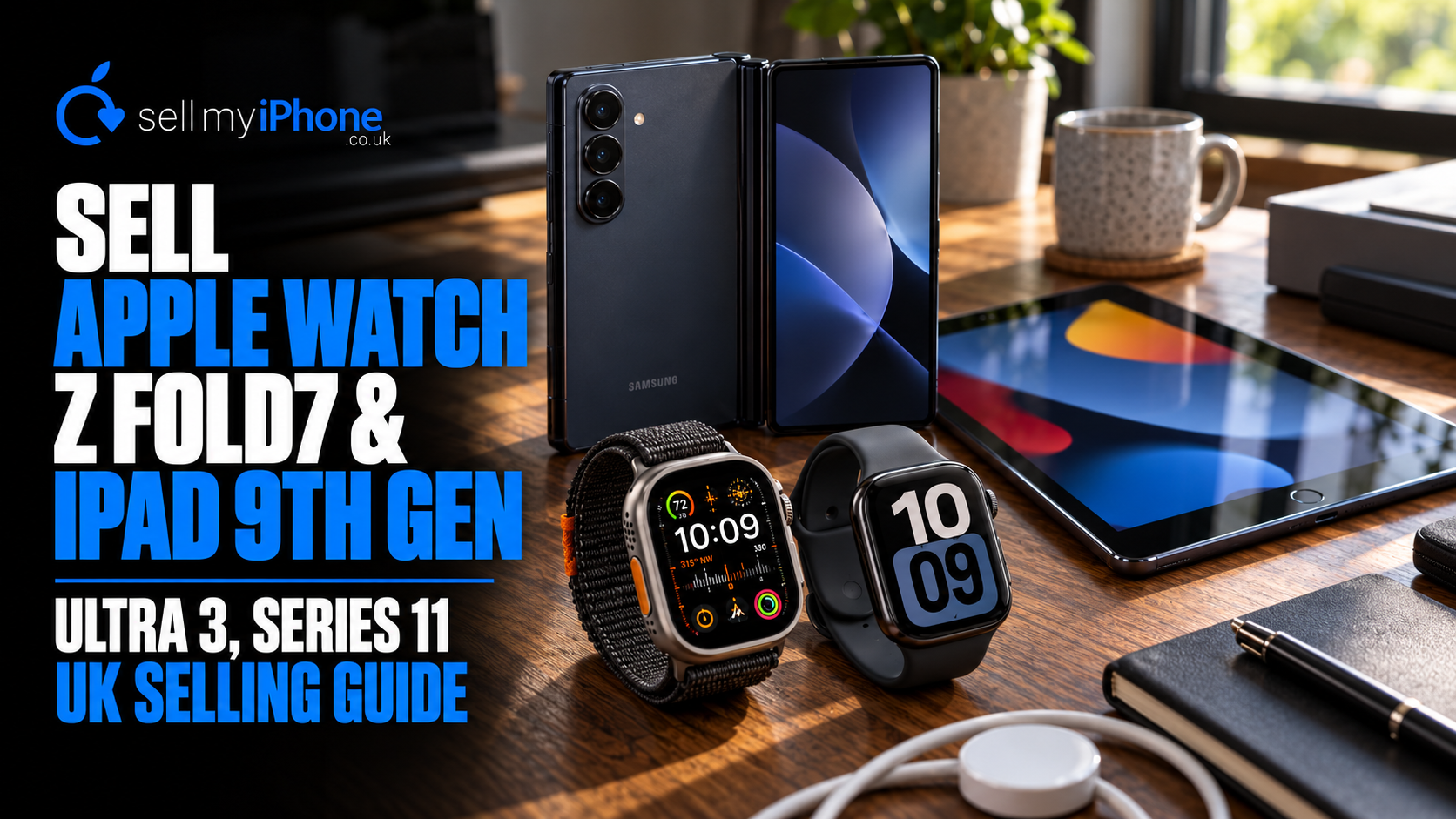
Sell Apple Watch Ultra 3, Series 11, Galaxy Z Fold7 & iPad 9th Gen in the UK
If you have an Apple Watch Ultra 3 or Ultra 2, Apple Watch Series 11, 10 or 9, Apple Watch SE 3, Samsung Galaxy Z Fold7 or a 9th-generation iPad that you no longer use, Sell My iPhone wants to hear from you.
Despite the name, Sell My iPhone buys much more than iPhones. Right now, these newer smartwatches, foldables and tablets are among the devices we are particularly interested in acquiring.
There is also an important difference in how our current offer process works.
We no longer publish static prices that can quickly become outdated.
Instead, search for your device, select the relevant specification and condition, then submit it to us. Our team reviews the request using the current market and lets you know whether we can make you a live offer.
That means the offer is based on the device you actually have and the market when you are ready to sell.
Search for your device and request a live offer
Quick answer: Sell My iPhone is currently particularly interested in Apple Watch Ultra 3, Ultra 2, Series 11, Series 10, Series 9, Apple Watch SE 3rd Generation, Samsung Galaxy Z Fold7 and Apple iPad 9th Generation devices. Search your exact model, select the options requested on the listing, choose the condition honestly and submit the device for a live offer.
Which devices is Sell My iPhone currently looking for?
These are among the products we would particularly like to acquire:
| Device | Key versions to identify |
|---|---|
| Apple Watch Ultra 3 | 49mm GPS + Cellular |
| Apple Watch Ultra 2 | 49mm GPS + Cellular |
| Apple Watch Series 11 | 42mm or 46mm; GPS or GPS + Cellular |
| Apple Watch Series 10 | 42mm or 46mm; GPS or GPS + Cellular |
| Apple Watch Series 9 | 41mm or 45mm; GPS or GPS + Cellular |
| Apple Watch SE 3 | 40mm or 44mm; GPS or GPS + Cellular |
| Samsung Galaxy Z Fold7 | 256GB, 512GB or 1TB |
| iPad 9th Generation | 64GB or 256GB; Wi-Fi or Wi-Fi + Cellular |
If you own one of these devices and have stopped using it, it is worth searching the catalogue rather than leaving it in a drawer.
How does Sell My iPhone's new live-offer system work?
The process is intentionally straightforward.
Previously, websites in the used-tech market often displayed fixed headline prices.
The problem is that technology values move.
Demand changes. Wholesale prices move. Condition varies. Different versions of the same product can also have substantially different resale economics.
Sell My iPhone now handles this differently.
Step 1: Search for the exact device
Go to the Sell My iPhone device search and enter your model.
For example:
Apple Watch Ultra 3
rather than:
Apple Watch
or:
Samsung Galaxy Z Fold7
rather than:
Samsung phone.
The more accurate the model, the easier it is for us to assess it correctly.
Step 2: Open the device listing
Once you find the right product, open its listing.
For example, Sell My iPhone currently has a dedicated listing for the:
Apple Watch Ultra 3 49mm GPS + Cellular
Step 3: Select the requested specifications
Depending on the product, the page may ask about things such as:
storage;
network or connectivity;
size;
condition.
Choose the specification that matches the device you actually own.
Step 4: Choose the condition honestly
A perfect device and a heavily used one cannot be valued in the same way.
Check:
screen;
casing;
buttons;
cameras where relevant;
charging;
battery;
functional faults.
Do not deliberately over-grade a device.
An accurate description makes it much easier for our team to assess the request properly.
Step 5: Submit the request
Use the Submit and Check Out process shown on the site.
Rather than immediately showing a potentially stale fixed price, the request comes through to our team.
Step 6: We review it for a live offer
We can then look at the actual model, specification, condition and current market.
If we can make an offer, we will provide one based on that live review.
That is the important difference:
you are requesting a current offer, not relying on an old price table.
Why don't you show fixed trade-in prices anymore?
Because a fixed price can become inaccurate.
Used technology does not have one permanent value.
Consider two identical Apple Watch Ultra 3 devices.
One may be:
almost unused;
excellent battery;
perfect sapphire crystal;
complete and ready for another owner.
The other may have:
heavy titanium marks;
screen damage;
charging problems;
poor battery performance.
They should not automatically receive the same valuation.
Market values can change too.
Therefore, our current system allows us to review each request when it is submitted and decide whether we can make an offer based on the market at that point.
Can I sell my Apple Watch Ultra 3?
Yes — Apple Watch Ultra 3 is one of the products we particularly want to receive.
Apple introduced the Ultra 3 with a 49mm Grade 5 titanium case, 64GB capacity, an S10 chip and GPS + Cellular connectivity. Apple lists both Natural and Black titanium finishes.
If you upgraded again, changed ecosystems or simply stopped wearing it, do not leave such a recent premium smartwatch unused without checking its value.
Request a live offer for Apple Watch Ultra 3
What should I check before selling an Ultra 3?
Look at:
sapphire display;
titanium case;
Digital Crown;
Action button;
side button;
charging;
speaker;
microphones;
battery health;
mobile-data functionality.
Then make sure Activation Lock is removed before sending it.
Can I sell my Apple Watch Ultra 2?
Yes. Ultra 2 is another model we particularly want.
Apple Watch Ultra 2 uses a 49mm titanium case, 64GB storage and an S9 chip. Apple lists up to 3,000 nits maximum display brightness and the familiar Ultra Action button, dual-frequency GPS and outdoor-focused design.
Ultra 2 therefore remains premium hardware even though newer Ultra generations now exist.
If yours has become redundant, check it rather than assuming you should keep it indefinitely as a backup.
Search for Apple Watch Ultra 2
Can I sell an Apple Watch Series 11?
Yes.
Apple Watch Series 11 is another device we are actively interested in.
Apple offers Series 11 in:
42mm;
46mm.
There are aluminium and titanium configurations, together with GPS and GPS + Cellular versions depending on the model. Series 11 uses Apple's S10 chip and 64GB capacity.
That means simply telling us:
“I have a Series 11”
does not fully identify the device.
Before submitting Series 11
Check:
42mm or 46mm;
GPS or Cellular;
case material;
physical condition.
Then search for the closest exact listing.
Search for your Apple Watch Series 11
Can I sell an Apple Watch Series 10?
Yes.
Series 10 remains one of the newer Apple Watch generations and is another model we would like to acquire.
Apple released Series 10 in 42mm and 46mm case sizes. It uses the S10 chip and has 64GB capacity.
Series 10 also came in different case materials and GPS/connectivity configurations, so make sure you select the correct version.
Series 10 owners should check before storing it
It is easy to upgrade and think:
“I'll keep the old one as a spare.”
If you genuinely use it as a backup, that is reasonable.
However, if it has been switched off in a drawer since the upgrade, checking whether we can make you a live offer is more useful than allowing another year of battery ageing and depreciation.
Can I sell an Apple Watch Series 9?
Yes.
Series 9 is another Watch we would like to see coming through Sell My iPhone.
Apple Watch Series 9 was produced in 41mm and 45mm sizes, with GPS and GPS + Cellular variants. Apple also produced aluminium and stainless-steel configurations.
That makes accurate identification particularly important.
A:
Series 9 41mm GPS aluminium
and a:
Series 9 45mm GPS + Cellular stainless steel
are not identical devices.
Search for your exact version before submitting.
Can I sell an Apple Watch SE 3rd Generation?
Yes.
Apple Watch SE 3 is specifically another model we want.
Apple offers SE 3 in:
40mm;
44mm.
There are GPS and GPS + Cellular versions, and Apple lists 64GB capacity with the S10 chip.
The SE range targets a different part of the Apple Watch market from Ultra, but that does not make it unimportant in the refurbished market.
If you have upgraded from an SE 3 or stopped wearing it, search the site and submit the device.
How do I identify exactly which Apple Watch I own?
Do not guess.
On the iPhone paired to the Watch:
Watch app → My Watch → General → About
Apple also provides a comprehensive Watch identification guide covering case sizes, materials and model numbers.
For example, Series 9 includes 41mm and 45mm versions, while Ultra 3 uses a 49mm case.
Use Apple's Apple Watch identification guide
Why exact identification matters
These details can distinguish separate products:
generation;
case size;
GPS or Cellular;
case material.
Do not submit the version that sounds most valuable.
Submit the Watch you actually own.
How do I prepare an Apple Watch before selling it?
The most important step is unpairing it correctly.
Apple says unpairing an Apple Watch through the paired iPhone:
erases the Watch;
restores factory settings;
removes Activation Lock.
By contrast, simply erasing the Watch directly without the paired iPhone can leave Activation Lock enabled.
How to unpair your Apple Watch
Keep the iPhone and Watch together.
Then:
Watch app → My Watch → All Watches → information button → Unpair Apple Watch
If it is a Cellular model, remove the mobile-data plan as appropriate.
You will also need your Apple Account password to disable Activation Lock.
Sell My iPhone already has a full guide:
How to Unpair Your Apple Watch Ready to Sell
Does Apple Watch battery health matter?
Yes.
Battery performance is part of the usefulness of any smartwatch.
On an Apple Watch, open:
Settings → Battery → Battery Health
and check Maximum Capacity.
A premium Watch with a heavily degraded battery may require a different assessment from an otherwise identical device with stronger battery performance.
Do not replace the battery automatically just because you intend to sell.
Check the device first and consider whether the cost of repair makes financial sense.
Can I sell a Samsung Galaxy Z Fold7?
Yes — Galaxy Z Fold7 is one of the main phones we currently want to acquire.
Samsung offers Fold7 with:
256GB;
512GB;
1TB.
The 256GB and 512GB versions use 12GB RAM, while Samsung's 1TB configuration uses 16GB RAM.
The Fold7 also uses an 8-inch folding main display and a 6.5-inch cover display, with a 200MP main camera.
Because it is premium foldable hardware, condition is particularly important.
Search for Samsung Galaxy Z Fold7
What should I check on a Galaxy Z Fold7 before selling?
A foldable needs a slightly different inspection from an ordinary phone.
Check the inner screen
Look for:
cracks;
damaged pixels;
black areas;
lines;
touch problems;
lifting layers.
Check the cover screen
Test the full outer display too.
A perfect inner display does not cancel out a damaged cover screen.
Test the hinge
Open and close the Fold7 normally.
Do not force it.
Look for unusual resistance, movement or behaviour.
Check all cameras
Fold7 contains multiple cameras, including Samsung's 200MP main camera.
Switch between lenses and confirm they function normally.
Confirm storage
Check whether you have:
256GB;
512GB;
1TB.
Samsung officially offers all three capacities.
Storage is one of the details we need to know when assessing the exact device.
How do I prepare a Galaxy Z Fold7 before selling?
First transfer or back up anything important.
Then remove your accounts before performing the reset.
Samsung specifically warns about Google's Factory Reset Protection. If a phone is reset without first removing the Google Account, the device may subsequently ask for the previous owner's Google credentials.
On current Samsung software, this generally begins under:
Settings → Accounts and backup → Manage accounts
Remove the relevant Google Account before resetting.
Then use Samsung's normal factory-reset route under Settings.
Read Sell My iPhone's Android account-removal guide
Can I sell my iPad 9th Generation?
Yes — the Apple iPad 9th Generation is another device we particularly want.
Apple introduced the 9th-generation iPad in 2021.
It was sold in:
64GB;
256GB.
Both Wi-Fi and Wi-Fi + Cellular configurations exist.
The 9th-generation iPad has a 10.2-inch Retina display, A13 Bionic chip, Touch ID Home button and Lightning connector.
It remains a useful second-hand tablet, which makes it worth checking rather than leaving unused after an upgrade.
How do I know whether my iPad is 9th Generation?
Apple's official identification guide is the safest way to check.
For UK-relevant models, Apple lists model numbers including:
A2602 — iPad 9th Generation Wi-Fi;
A2604 — iPad 9th Generation Wi-Fi + Cellular.
Apple also confirms that the generation was sold in 64GB and 256GB capacities.
Identify your iPad with Apple Support
Check Settings too
Open:
Settings → General → About
and confirm the capacity and model information.
Do not rely only on screen size.
Several generations of standard iPad look broadly similar.
Does Wi-Fi or Cellular matter on an iPad?
Yes.
The 9th-generation iPad was sold as both:
Wi-Fi
and:
Wi-Fi + Cellular.
These are separate device configurations.
If your iPad has a SIM tray and mobile-data capability, make sure you select the correct Cellular version when submitting it.
How do I prepare an iPad 9th Gen for sale?
Back up anything you need first.
Then erase the device correctly.
Apple's current guidance says that erasing an iPhone or iPad through Erase All Content and Settings disables Find My and Activation Lock as part of the process.
Activation Lock matters because another owner needs to be able to activate the tablet with their own Apple Account.
Before sending the iPad:
back up your files;
remove your SIM if Cellular;
sign out/erase correctly;
make sure Activation Lock is gone;
inspect the screen;
check Touch ID;
test charging;
confirm cameras and speakers work.
Read Sell My iPhone's iPad selling guide
What condition should I select?
Be realistic.
A useful self-check is to inspect the device in bright light.
For Apple Watches
Look at:
screen;
case;
Digital Crown;
buttons;
charger connection;
battery.
For Galaxy Z Fold7
Check:
inner screen;
cover screen;
hinge;
cameras;
frame;
charging.
For iPad
Check:
display;
rear casing;
corners;
Touch ID;
charging port;
speakers;
cameras.
If a device has a fault, do not hide it.
An accurate condition gives us much better information when reviewing whether we can make you an offer.
Should I repair my device before submitting it?
Not automatically.
Start by checking what you have now.
Repairs only make financial sense when the value created by the repair exceeds the cost.
For example, imagine a hypothetical device could receive:
£300 as it is
or:
£380 after repair.
If the repair costs £150, spending £150 to create £80 of extra resale value would leave you worse off.
These numbers are illustrative, but the principle is useful.
Check before repairing.
Do I need the original box?
Do not assume a missing retail box makes your device unsellable.
The important information is usually:
exact model;
specification;
condition;
functionality;
account-lock status.
For smartwatches, however, check Sell My iPhone's current preparation requirements for the charger and strap before sending the device.
Read the full Sell My iPhone preparation guide
Why should I sell newer tech rather than leaving it as a backup?
Keeping a genuine backup can make sense.
The question is whether you actually use it.
A Series 11 Watch that has been turned off for nine months is not doing much backup work.
Neither is a Fold7 sitting in its original box after you changed phone.
Unused technology faces several forms of depreciation:
newer generations launch;
batteries age;
second-hand supply increases;
software moves on;
market demand changes.
Therefore, once you know you do not need the old device, checking whether we can make a live offer is usually more useful than forgetting about it.
Why are Apple Watch Ultra 3 and Ultra 2 particularly interesting?
The Ultra range sits at the premium end of Apple's smartwatch family.
Ultra 3 uses a 49mm titanium case, S10 chip and 64GB storage, while Ultra 2 also uses a 49mm titanium design with 64GB storage.
These are not low-value disposable accessories.
If you replace one, the previous Watch can still represent meaningful residual value.
That makes Ultra devices exactly the kind of technology worth checking immediately after an upgrade.
Why do we want Apple Watch Series 9, 10 and 11?
They are still relatively recent generations.
Series 9 uses 41mm and 45mm sizing. Series 10 and Series 11 use the newer 42mm and 46mm sizes.
That gives refurbished buyers several choices across:
price;
size;
materials;
connectivity.
As a result, there can still be strong reuse potential even after the original owner upgrades.
Why do we want Galaxy Z Fold7?
Fold7 is premium Android hardware.
Samsung's current UK specification shows an 8-inch main display, 200MP main camera and storage from 256GB all the way to 1TB.
Premium foldables are also expensive devices to leave unused.
If you have moved back to a conventional smartphone or upgraded to a newer Fold, submit your Fold7 and see whether we can make a live offer.
Why do we want iPad 9th Generation?
The 9th-generation iPad occupies a useful part of the second-hand tablet market.
Its A13 Bionic chip, 10.2-inch display, Touch ID and support for first-generation Apple Pencil still make it practical for many everyday tablet tasks.
A family may no longer need it after upgrading, but another user may still get considerable use from it.
That is exactly what a healthy refurbished-device market is supposed to achieve.
Sell My iPhone is not just for iPhones
This is worth repeating because the name understandably creates the wrong assumption.
You can use Sell My iPhone to look for other categories of technology too.
That includes devices such as:
Apple Watch;
Samsung Galaxy phones;
tablets and iPads;
other supported technology in the current catalogue.
So if you searched Google for:
sell my Apple Watch
sell Apple Watch Ultra 3
sell Apple Watch Ultra 2
sell Apple Watch Series 11
sell Apple Watch Series 10
sell Apple Watch Series 9
sell Apple Watch SE 3
sell Samsung Galaxy Z Fold7
or:
sell iPad 9th Generation
you are in the right place.
What happens after I submit my device?
Your request comes through to the Sell My iPhone team.
We can then review the information you supplied, including the exact device and its condition.
If we can make an offer, we provide a current offer based on our review.
This is deliberately different from maintaining a huge static price list.
It lets us assess the device against the market when you actually want to sell.
Why this is useful for sellers
A price displayed weeks or months ago may no longer reflect:
current demand;
available stock;
model popularity;
condition;
current resale economics.
A live review is designed to avoid relying on an outdated headline number.
How can I improve my chances of a straightforward offer?
Give accurate information.
Before submitting:
Identify the exact model.
Check storage where relevant.
Confirm GPS or Cellular on Apple Watch.
Confirm Wi-Fi or Cellular on iPad.
Inspect the physical condition.
Test all important functionality.
Remove account locks before sending.
Do not conceal damage.
Clear information helps everybody.
What should I do before posting any valuable device?
Photograph it.
Take clear images showing:
front;
rear;
sides;
screen;
existing damage.
For an Apple Watch, photograph the case and display.
For Fold7, capture both screens and the hinge.
For an iPad, photograph the display, rear case and corners.
Keep proof of postage too.
Small preparation steps can prevent much bigger problems later.
The key takeaway
Sell My iPhone is currently particularly interested in acquiring:
Apple Watch Ultra 3
Apple Watch Ultra 2
Apple Watch Series 11
Apple Watch Series 10
Apple Watch Series 9
Apple Watch SE 3rd Generation
Samsung Galaxy Z Fold7
Apple iPad 9th Generation
If you have one sitting unused, search for it.
We no longer rely on static published prices for these devices.
Instead:
Search → select your specification → choose the condition → Submit and Check Out → request a live offer.
That gives our team the opportunity to review the device against the market when you actually want to sell.
Do not assume your old technology is worthless.
Do not leave a premium Watch, foldable or tablet sitting unused without checking.
Search your device and request a live offer
Frequently asked questions
Can I sell my Apple Watch Ultra 3?
Yes. Apple Watch Ultra 3 is one of the devices Sell My iPhone is currently particularly interested in acquiring.
Request an offer for Apple Watch Ultra 3
Can I sell my Apple Watch Ultra 2?
Yes. Search the current Sell My iPhone catalogue for your Ultra 2 and submit its details for review.
Can I sell Apple Watch Series 11?
Yes. Series 11 is one of the Apple Watch generations Sell My iPhone currently wants. Confirm whether yours is 42mm or 46mm and its connectivity configuration first.
Can I sell Apple Watch Series 10?
Yes. Series 10 devices are also wanted. Apple produced Series 10 in 42mm and 46mm versions.
Can I sell Apple Watch Series 9?
Yes. Check whether yours is 41mm or 45mm and GPS or GPS + Cellular before submitting it.
Can I sell Apple Watch SE 3?
Yes. Sell My iPhone is currently looking for Apple Watch SE 3rd Generation devices. Apple offers SE 3 in 40mm and 44mm sizes.
Can I sell my Samsung Galaxy Z Fold7?
Yes. Galaxy Z Fold7 is specifically one of the devices currently wanted. Confirm whether yours is 256GB, 512GB or 1TB.
Can I sell my iPad 9th Generation?
Yes. Sell My iPhone is currently interested in 9th-generation iPads. Apple sold the model in 64GB and 256GB versions and as both Wi-Fi and Wi-Fi + Cellular.
Why doesn't Sell My iPhone show a price immediately?
Sell My iPhone now reviews submitted devices for a live offer rather than relying on a static published price. Search your device, enter the requested specification and condition information and submit it for review.
How do I get an offer?
Search your model, open the relevant listing, complete the requested options and use the Submit and Check Out process. The request then reaches the Sell My iPhone team for a live review.
Does condition matter?
Yes. Physical condition, battery performance and functional faults can affect whether an offer can be made and what that offer is.
Should I repair my device before submitting it?
Not necessarily. Repair only makes financial sense if the value added exceeds the repair cost. Checking the device in its current condition first is usually more sensible.
Do I need to remove Activation Lock from an Apple Watch?
Yes. Apple recommends unpairing the Watch from its paired iPhone, which erases it and removes Activation Lock.
Should I remove my Google Account from a Galaxy Z Fold7?
Yes. Samsung recommends removing the Google Account before factory-resetting a phone you are giving to someone else so Google's Factory Reset Protection does not block the next owner.
Should I erase an iPad before selling it?
Yes. Back up anything you need, then erase the iPad correctly. Apple says the proper erase process turns off Find My and Activation Lock.
Where can I sell an Apple Watch, Galaxy Z Fold7 or iPad online in the UK?
Search Sell My iPhone's current device catalogue, select your exact device and submit the requested information for a live offer.
Sources and further reading
Sell My iPhone — Search Your Device
Sell My iPhone — Apple Watch Ultra 3
Sell My iPhone — Prepare Your Device for Sale
Sell My iPhone — How to Unpair Your Apple Watch
Sell My iPhone — Apple Watch Selling Guide
Sell My iPhone — iPad Selling Guide
Apple — Apple Watch Ultra 3 Technical Specifications
Apple — Apple Watch Ultra 2 Technical Specifications
Apple — Apple Watch Series 11 Technical Specifications
Apple — Apple Watch Series 10 Technical Specifications
Apple — Identify Your Apple Watch
Apple — Prepare an Apple Watch for Sale
Apple — Prepare an iPad for Sale
Samsung UK — Factory Reset and Google Factory Reset Protection